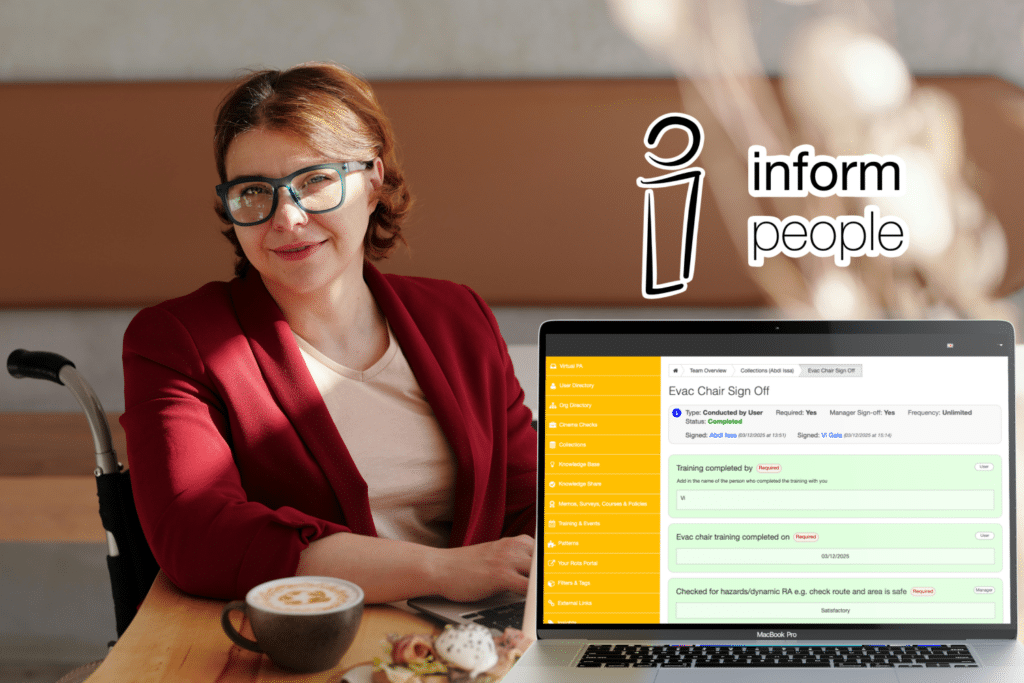
With the newest update to Collections, we have taken the original format of ‘person completes a form, then their manager completes a second half and signs-off’ and expanded it.
Collections was originally designed to digitise forms about people, to remove paper from the process, and give manager oversight and approval of each Collection completed. Therefore, in the original version, each form was only able to be completed a single time as they were originally intended for situations that happened once. All of them were a two sided process, with the first half completed by the employee and the second by their line manager.
Through continued usage by our clients, we realised the potential to expand from the first design of Collections to incorporate the following options:
-
- Who completes the Collection: User, Manager or Both
-
- When a Collection needs completing: Once, Repeatable, Create when Needed
-
- What they are about: People and (now also) Places
Who Completes a Collection?
In the latest release of Collections, the restrictions for who can complete forms have been updated.
At the point that they are built for a client as a template, the person who will complete the Collection is picked. Not by name specifically but by role and permission level.
-
- USER: Some will be targeted for completion by the person the form is about, for them to complete themselves, with no need for Manager approval.
-
- BOTH: We have also maintained the current standard option where a user completes their own first stage and a Manager takes the second stage and is required to sign off the form as a whole.
-
- MANAGER: The third option is that a Manager can now complete a form on behalf of a user or building as a single sided form.
With this expansion of options, Collections can now replace certain smaller audit and checklist actions and opens up the possibility of recurring checks outside of learning. As we roll out these new Collections with existing clients, we are certain to encounter other opportunities where these new formats will be crucial to a safe and informed work environment, in which actions are clearly assigned and digitally captured for long-term records and ongoing accountability.
Example Usage Cases
Just the Employee.
Example: Diary for Development Plan – Ad Hoc Learning, such as confirming on the job knowledge through a few checklist questions.
Just a Manager:
Example: Observations – when training to do something, underage knife sales or kitchen skills – manager can sign off on behalf of the trainee.
Both:
Example: Personal Development Pathway – where a learner confirms that all steps leading up to final sign-off have been completed, and can provide proof of activities, then the manager signs off their status as completed.
When a Collection needs completing, as always, it will be notified to the person it sits with on their Virtual PA. Either it will be directly linked via the Collections tile on the main Virtual PA or it will be within a Pathway.
Collection Frequency
Previously, as a ‘one and done’ type of form; Collection retakes were rare and had to be handled individually by Inform People support. As this was occurring more than we expected, and to put the power into your hands, this latest release of Collections now has a re-take option built in.
For those situations where the answers to a question may be in flux and change over time but where you also require a record of each instance of a form which needs to be maintained for compliance and ongoing review.
When designing a Collection, there is now a choice between it being set as either ‘One’ or ‘Many’, with Many having a limit based on ‘no repeats’ within a certain time frame. This applies to both Required or Ad-hoc Collections and is set when the template is created initially so applies to every Collection of that type that is undertaken.
This now means that even simple paper sign-off forms such as Toilet Checks or other cleaning schedules can be captured digitally and reviewed centrally.
Collections Reporting
Prior to this release, Collections could be seen via the Virtual PA and personal Profile activity log – they could also be reported on if they were included within a Pathway.
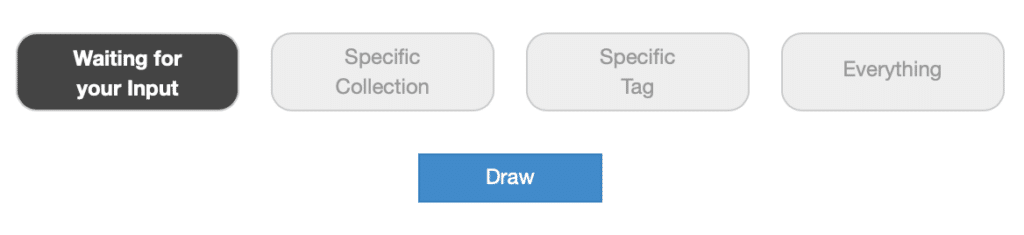
Now, however, there is also a series of Overviews that bring additional clarity to Collections completion and lists outstanding tasks in one place Everyone gets their ‘Own’ and ‘List’ views and Managers get the additional ‘Team’ Overviews.
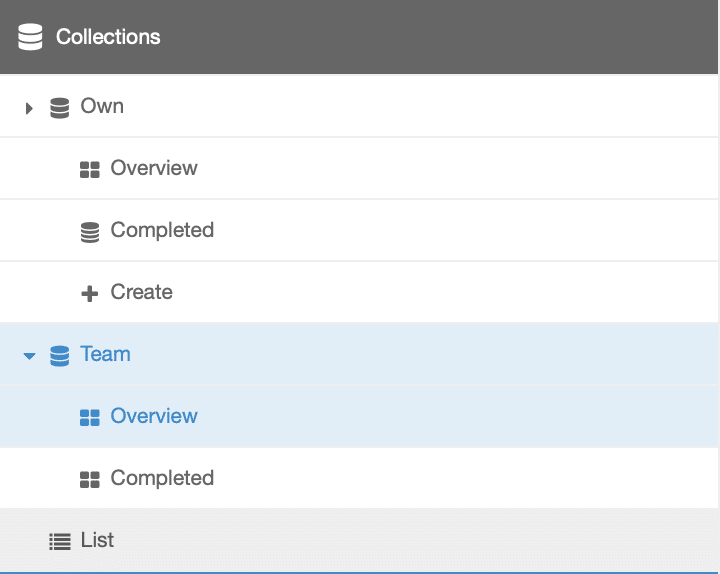
These provide access to a list of Collections that can be generated when the report is ‘drawn’ and can provide a simple route to filtering your outstanding actions too.
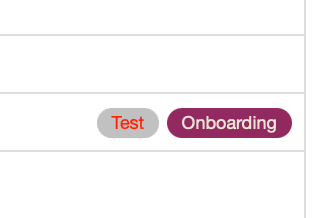
These pages will also display any relevant tags which can be used to navigate to an overview of all actions, within the entire VPA, with that tag applied.
Overview: Sorted for Clarity
On the Overview page (which is accessed from either the VPA or the Side Menu) there are a variety of categories that can be displayed, depending on whether the person viewing has Collections that apply to them.
-
- Not Started (Required)
-
- Due to Expire / Expired
-
- Waiting for Manager Sign-off
-
- Incomplete / Started
-
- Rejected
All Completed Collections are visible through a separate report to keep open actions clear and to reduce page loading times.
Team Reporting
With the launch of Collections 2.0 we have also added direct reporting for Managers so that they can track the completion of collections for those they have permission responsibility for. This also provides easier access to their own actions.
Hidden from the VPA.
Another new feature is the option to make certain Collections only visible via a Pathway, rather than directly accessible through the VPA icon. Similarly to the way this functions for MSCP entities, this means that they can also be ‘locked’ within Strict Pathways where certain earlier tasks must be completed before access to the Collection is unlocked.
Location Based Collections
Forms need to be completed for more than just people, and although the Virtual PA hosts a comprehensive Auditing module, there are certain checks that do not need a score and are more closely aligned with filling in a paper form. That’s where new Collections also shine.
Due to the robust permission structure that underpins the whole system, Collections can be set to be completed by certain groups of eligible people. This means that a ‘toilet check’ form could be set for ‘any role’ to complete or ‘only employees with the correct cleaning role job titles’. Digitising a visitor log book can also be set so that only Team Leaders and above can complete it whereas a new starter or standard colleague could not.
A solution for any location-based paperwork that is not about the person completing it, but about the actual venue, building and its features.
In Summary
Whether you need to record certain compliance records, safety checks that are more simple than a full blown audit, visitor logs, or elements of staff development, Collections might be the answer for you. You can transform your business’ approach to capturing, reviewing, and storing information so all your employees can spend less time chasing paper and more time getting things done.
If this interests you, get in touch!