The world is busy and everyone is bombarded with information from their phones, their colleagues, the news and beyond. While working, we want ourselves and our colleagues to be focused and prepared with the right information for our roles. We also want clear tools to complete compliance tasks in a standardised and comparative way, especially in multi-site national companies.
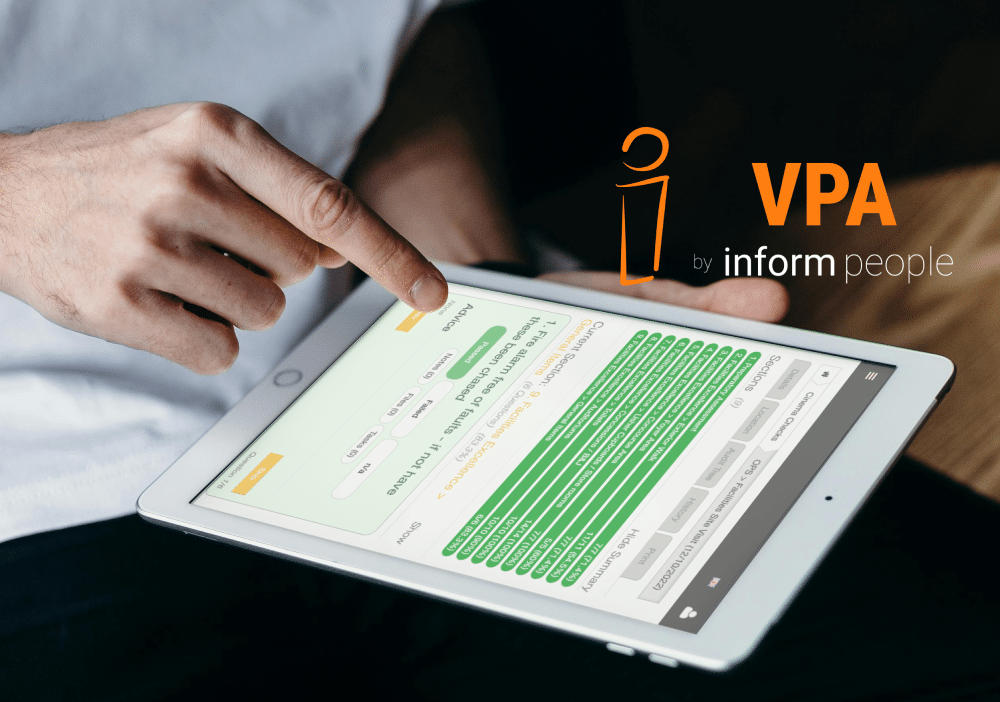
The Virtual PA is a modular experience that allows companies to curate a streamlined experience; one portal that covers all Health and Safety, Compliance and Performance Management needs. It presents clear actions for the everyday and ad-hoc tasks, tailored to Job Roles and Locations.
This especially comes to the forefront when talking about safety and security checks around your locations: keeping these standardised, prompted when required, and easy to complete.
Auditing: encompassing variety
Within the system, there are multiple options for ‘Completing a Form’, each with their own unique features that make them suited to different tasks, checks and audits. Within this blog we will focus on Location based checklists, although the Virtual PA auditing options can equally cover checks for people and their related compliance too.
At business locations, especially in the Retail, Hospitality and Entertainment sectors, you need to be aware of the safety and security of your buildings for the sake of both your employees and customers. You will have regular and ad-hoc checks to ensure that everything is in place, up to standard, and to report on anything that is out of place so that it can be fixed in a timely manner.
Some of the real core questions are:
- Are you doing this in a system that you can report on from anywhere?
- Can you standardise the checks for consistency?
- Do you have an automatic schedule so that nothing gets missed (or if it does get missed then you can spot the gaps)?
- If you’re using paper or a spreadsheet, is this ever being analysed or just filed away?
- If you’re using a different online system, is there an account for everyone to have true accountability or are they sharing so you don’t know who is actually taking action?
- Can you give speciality checks just to the locations that need them, such as only providing Lift Checks to locations with an elevator?
The Virtual PA is equipped to handle all of this and more.
Auditing: all Types in One Place
Our clients have used Audits and Collections for a checks such as:
- Annual Fire Risk Assessments
- Weekly Escalator Checks
- Daily Gym Equipment
- Food Hygiene Inspections
In your business you will be required to complete a whole suite of checks and record their results and Inform People’s complete compliance solution can be accessed from phones and tablets on walkarounds and captures all of your checks in one place.
What you definitely do not want are three separate logins for three different systems – one for your monthly ‘big audits’ like your Fire Risk Assessment, another for your Weekly and Daily checks that are only done by Managers, and a 3rd that handles little daily updates like Bathroom Checks (or even having that one siloed to paperwork and never reported on).
Should it be an Audit or Collection?
Let’s get a bit technical for a moment, and show you the differences between Audits and Collections and why both are great choices for digitising your Health and Safety Audits and Checklists.
TEMPLATES
Both Audits and Collections use templates which keeps completion standardised across every location.
SCHEDULE
Audits can be set to a schedule or completed when they are required whereas all Node Collections need to be created manually when required.
EVIDENCE
Both options allow for File Uploads within the form, for adding proof. However, Audits are more flexible and allow for multiple uploads linked to a specific question and also as part of follow-on tasks. Collections need a section pre-added to the template to allow for required or optional uploads.
ROLES
The Virtual PA has access based on Job Roles, Location and additional attributes so both Audits and Node Collections can be set to only be completed by certain people, if desired.
REPORTING AND ARCHIVE
Detailed Search and Reporting options are available for both Collections and Audits. A full archive is maintained for all actions taken.
WITNESSES
Audits have a built-in option for marking other people’s accounts as Witnesses which allow them to show in their platform Activity feeds
FOLLOW ON TASKS
Audits has a built-in method for adding additional tasks and assigning them to colleagues to resolve any outstanding issues. Collections are more simple and don’t have this option.
SCORING / RATING
Collections are either ‘Not Complete’ or ‘Completed’ whereas Audits have multiple Statuses: Open/Closed/Expired and can be flagged as to whether they have outstanding follow-on tasks. Audits can either be built as Pass/Fail questions or 1-5 Ratings. The final score of an Audit can also use the platform standard Red/Orange/Green Rating system or have a completely bespoke Rating system too.
EXPIRATION
Audits are given a time-limit as part of the template, if this window is missed then they are classed as Expired which helps Senior Managers track where Compliance needs to be addressed. Collections remain open until completed.
OVERLAP
During setup, Audits can be set either so they are exclusive (one must be finished before the next started) or many can be open at the same time, per location. Collections, similarly can be set as one or many but can also have a time restriction where another of a type cannot be created at that location within a specific time period, e.g. no repeats within a week.
KNOWLEDGE
Link Knowledge from the Knowledge Base in both Audits and Collections to support completion and provide context or instructions.
Decisions, Decisions
As you can see, there are many similarities between the two options and it will probably come down to our discussions with you as to which type of form would suit each of your Compliance requirements.
Once up and running, an Inform People platform will simplify your Health and Safety processes for everyone in the business, keeping them focussed on the tasks at hand each day.
Why pick the Virtual PA compared to other options?
The Virtual PA is the essential, singular hub designed to cut through information overload and the complexity of managing compliance across multiple sites. By offering a modular, all-in-one platform for Health and Safety, Compliance, and Performance Management, the VPA ensures that every task, from annual audits to daily checks, is standardised, tracked, and scheduled.
Interested? Contact us via this form, today!